My Experience with Cursor
Like many developers, I’ve come to depend on autocompletion in day-to-day coding. So when GitHub Copilot showed up with context-aware, AI-driven suggestions, it immediately stood out.
To be honest, I was a latecomer to the "vibe coding" hype train. When my workplace provided us with Cursor licenses, I was initially skeptical. I felt more productive sticking to my traditional, "old-fashioned" way of writing code, and, frankly, I didn't want to risk my project deadlines on a new tool.
However, things changed during my paternity leave. I decided to dedicate some time to truly learn how to "vibe code," and I was absolutely blown away. Below is my experience.
Project 1: Personal Website (React/GitHub Pages)
My first task was improving my personal website, a small React application hosted on GitHub Pages. I was hooked from the very first prompt:
“This is my personal website; it looks a bit dated. Can we make it look modern and cool? Specifically, I would like a retro-futuristic theme and a dark mode/light mode button.”
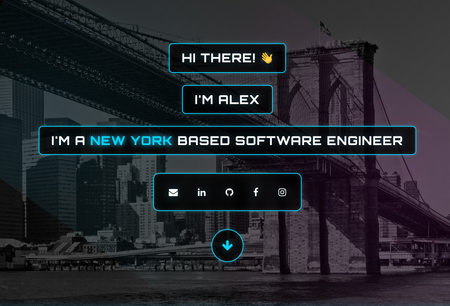
The initial result was... okay. A little infantile, perhaps, as "retro-futuristic" wasn't quite my style. But in that moment, I understood the agent's potential. My next prompt was:
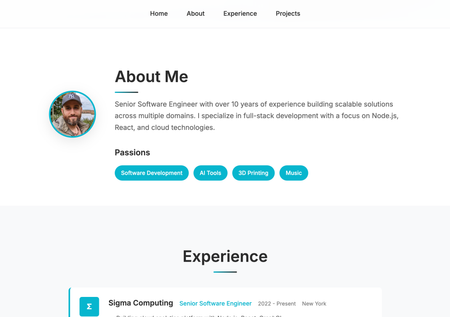
"Actually, make it more professional, minimalistic, and concise, while still surfacing the most relevant information."
I followed up with more specific requests:
- "this section is unnecessary"
- "make the experience part card-based"
- "let’s try a dark style"
After several rounds of back-and-forth, I reached an outcome I was satisfied with. Crucially, the process itself was fun, allowing me to experiment with different styles, prompts, and ideas.
| Before | After |
|---|---|
 |  |
Project 2: Wordle Clone (React/Firebase)
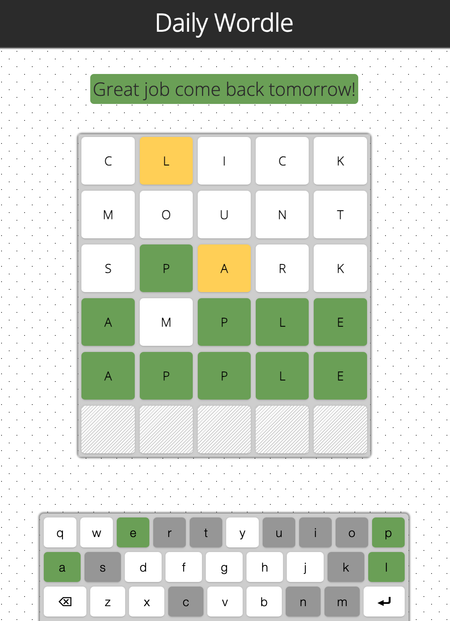
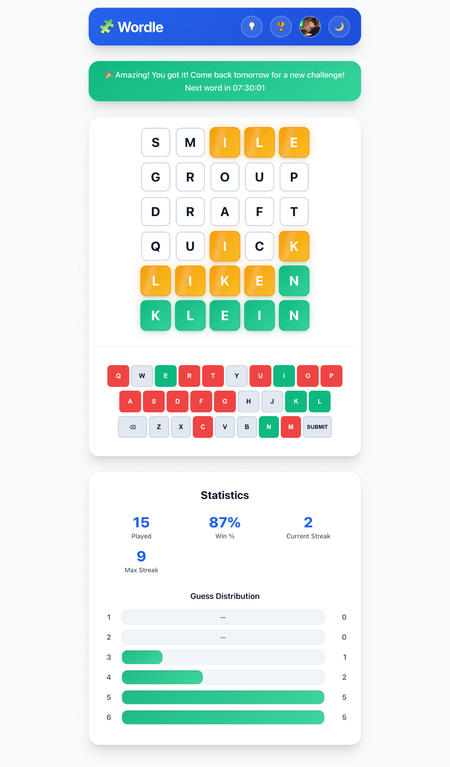
The next project was a slightly more complex React/Firebase application, a Wordle clone. Here, I moved beyond just style updates (though it definitely got a facelift) to adding substantial new features. The basic app was bare-bones: a daily word, five attempts, all stored in browser cache. With the AI agent, I was able to implement:
- Profiles: Sign-in functionality using a Google account.
- End-of-Game Statistics: Metrics like games played, current streak, win percentage, and guess distribution.
- Leaderboard: Displaying leaders across the above statistics.
- Information: Game instructions and an "About" section.
The agent was even helpful with backend configuration, guiding me on which Firebase settings needed updating to support the new login flow.
| Before | After |
|---|---|
 |  |
Despite these awesome features, this is where I started encountering quirks:
- Minor CSS Glitches: The initial dark mode button worked, but when zoomed out, white bars appeared where the page should have been dark.
- Feature Implementation Complexity: Redesigning the keyboard took several attempts; the agent initially placed it outside the card, then created two keyboards.
- Data Inaccuracy: The end-of-game statistics were buggy; guess distribution consistently showed five guesses regardless of actual data.
- Performance Issues: Moving app storage to Firebase for cross-device state management failed; I had to revert and manually update state only on submit/refresh.
- Design Inconsistency: Every new card, modal, or tab slightly differed in shadow, corner rounding, padding, or margins.
It seemed every new feature required iterative back-and-forth to get exactly what I wanted.
Project 3: ESP32 Embedded Wi-Fi Clock (C++/PlatformIO)
My final test was an ESP32 embedded Wi-Fi clock project. This C++ application, built using PlatformIO, drives a dot matrix display and runs a configuration web page in pure HTML/JS.
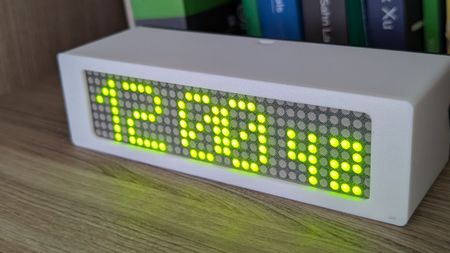
Using the AI agent here was significantly more challenging. Most feature additions caused breakages requiring manual debugging:
- Incompatible web page changes breaking server configurations.
- Boot sequence changes preventing the device from turning on.
- Settings object changes wiping stored data.
- Style consistency issues on added web elements.
Despite hurdles, I added some cool features:
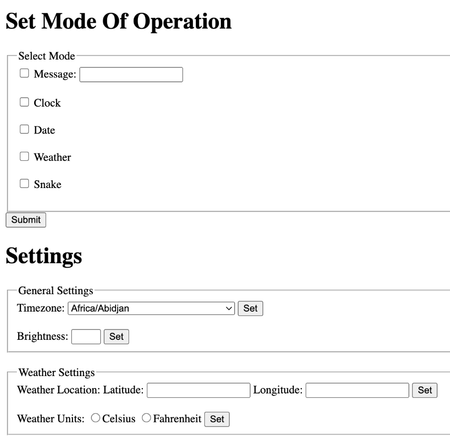
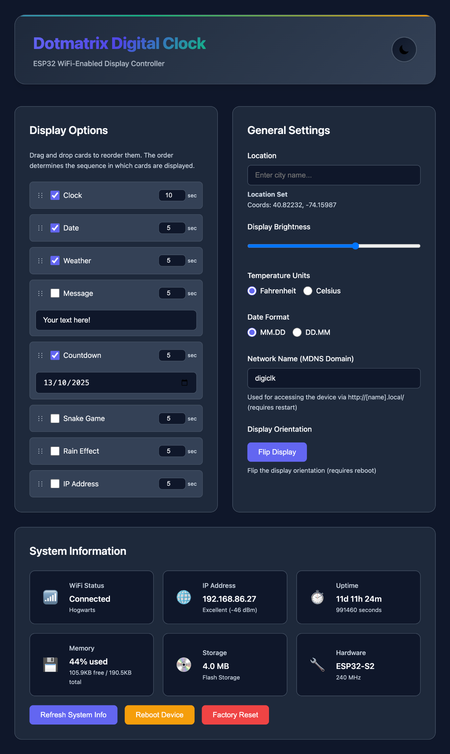
- Revamped Web Page: Light/dark modes
- New Screens: Countdown, Rain effect (matrix style), IP address display
- Display Customization: Screen order/duration, flip display
- System Features: MDNS configuration, timezone/weather via Open-Meteo API, system info, reboot/factory reset
| Before | After |
|---|---|
 |  |
Conclusion
Pros and Cons Summary
Where it excels:
- Cold Starts: Excellent for bootstrapping new projects.
- Small, Precise Enhancements: Handles minor, targeted improvements.
- General Cleanup: Safely removes code and dependencies.
Where it falls short:
- Maintaining Consistency: Tends to reinvent patterns unless explicitly instructed.
- Large-Scale Enhancements: Needs very specific prompts for complex features.
- Code Quality: Output can be brittle, narrowly tailored, and non-generic.
Tips for Using AI Coding Agents Effectively
- Start Fresh Often: Long threads can spiral; restart to improve results.
- Revert and Rephrase: Roll back and restate goals rather than patching incrementally.
- Provide Clear Context: Point to specific files or entry points.
- Be Extremely Specific: Clarity directly improves output quality.
- Leverage Project Rules: Use
.cursor/rulesfor project-wide consistency. - Enjoy the Process: Mastering the tool takes experimentation, but it’s rewarding.